
Stock & godowns
Know the tile. Know the godown. Understand the quantity.
Inspect stock by product variant and storage location. Keep units, supported allocations and adjustment reasons with the records your team reviews.
A quantity belongs to a product and a place.
Open the required godown and inspect the exact tile variant. Read on-hand, reserved and sellable meanings separately where the product supports them.
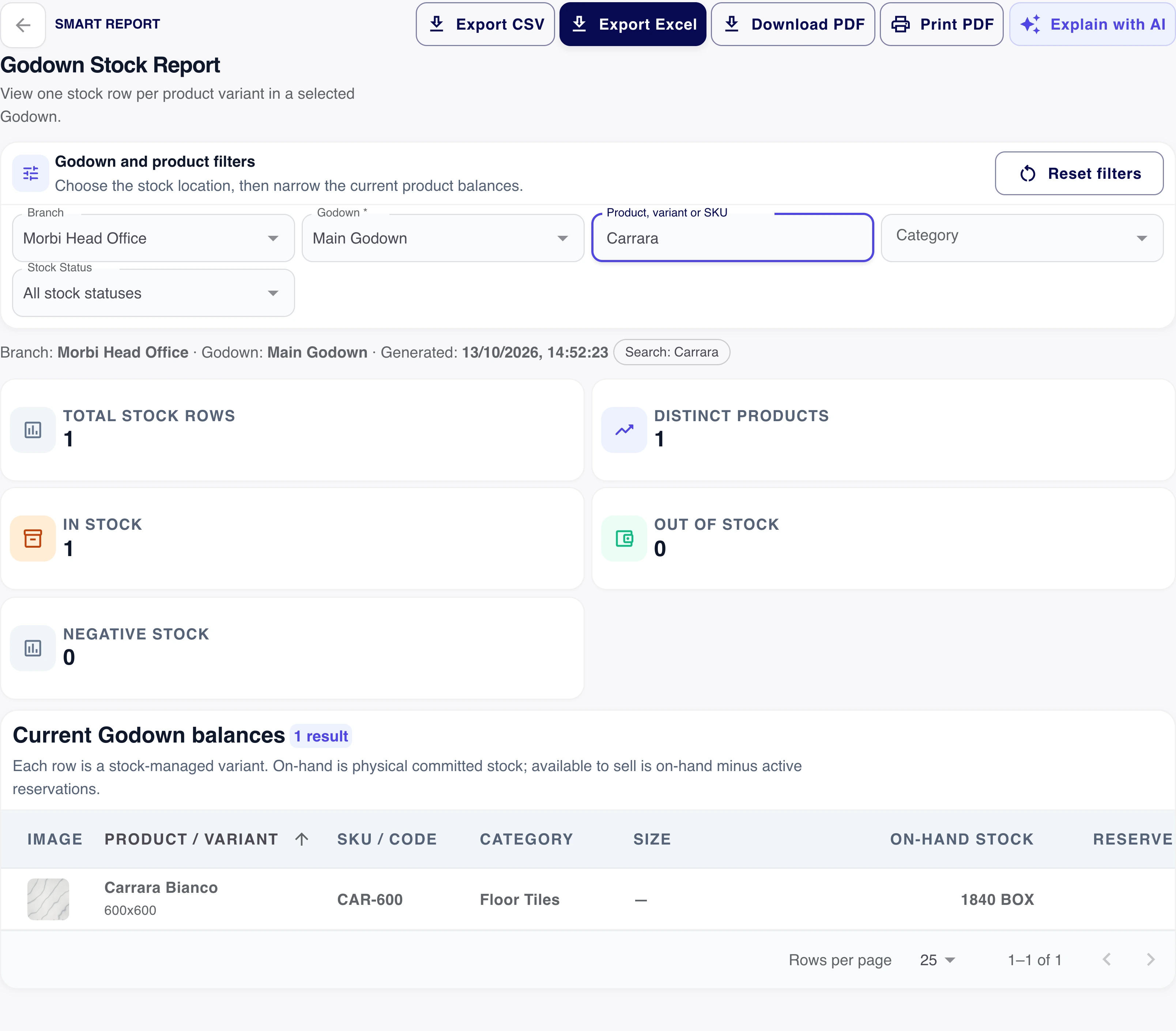
- Product
- The selected size and finish
- Location
- The permitted godown
- Unit
- The meaning of boxes or pieces
Split the quantity across the right godowns.
Select the permitted storage locations for the transaction and compare their allocation total with the requested quantity. Keep a batch reference where batch tracking applies.
Allocation review
- Each allocation
- A permitted godown and a positive quantity
- Batch-tracked stock
- The available batch reference where required
- Piece-tracked stock
- Explicit boxes and loose pieces, using the saved pack size
Keep the selected locations and correct their quantities before continuing. Review unavailable or insufficient batch stock rather than treating a failed load as zero.
Allocation explanation. Selecting locations does not create a stock transfer or automatically reserve goods; the transaction’s actual stock policy still applies.
Keep the reason with a stock correction.
Record the supported adjustment reason, affected product, quantity and location. Inspect the history when a quantity changes.
Stock correction
Keep the reason with the quantity change.
- Product
- The affected tile and variant
- Godown
- The permitted stock location
- Quantity change
- The correction in the actual stock unit
- Adjustment reason
- The supported reason for the change
The history should explain the correction.
Review who made the change, when it was saved and the resulting stock record. A correction stays connected to its location and product.
- Before changing
- Check the product and current location
- With the adjustment
- Record the reason and quantity
- After saving
- Inspect the resulting stock record
Review a stock signal before purchasing.
Use low-stock, movement and stock-health reports to investigate the item. A report highlights a question; the team still decides what to buy.
Find the tile
Use the same variant across the stock and purchase review.
Inspect the movement
Check the period, location and source record.
Review the supplier need
Prepare the supported purchase using the required quantity.
Give the team a shared stock context.
Prepare location names, quantity units and permissions before comparing records across godowns. Account capacities and available stock modes still apply.
Want to see this with your business workflow?
Book a product demo