
Area to whole boxes
- Before using it
- Positive saved coverage per box and a supported coverage unit.
- What the result means
- The required area is divided by coverage and rounded up to whole boxes.
Tile quantity calculator
Work from the selected tile’s pack data. Review measured area, deductions and extra allowance before using the whole-box quantity in the sale.
The product’s size, selling unit and pack coverage determine the calculation. Keep those details visible with the measurement.
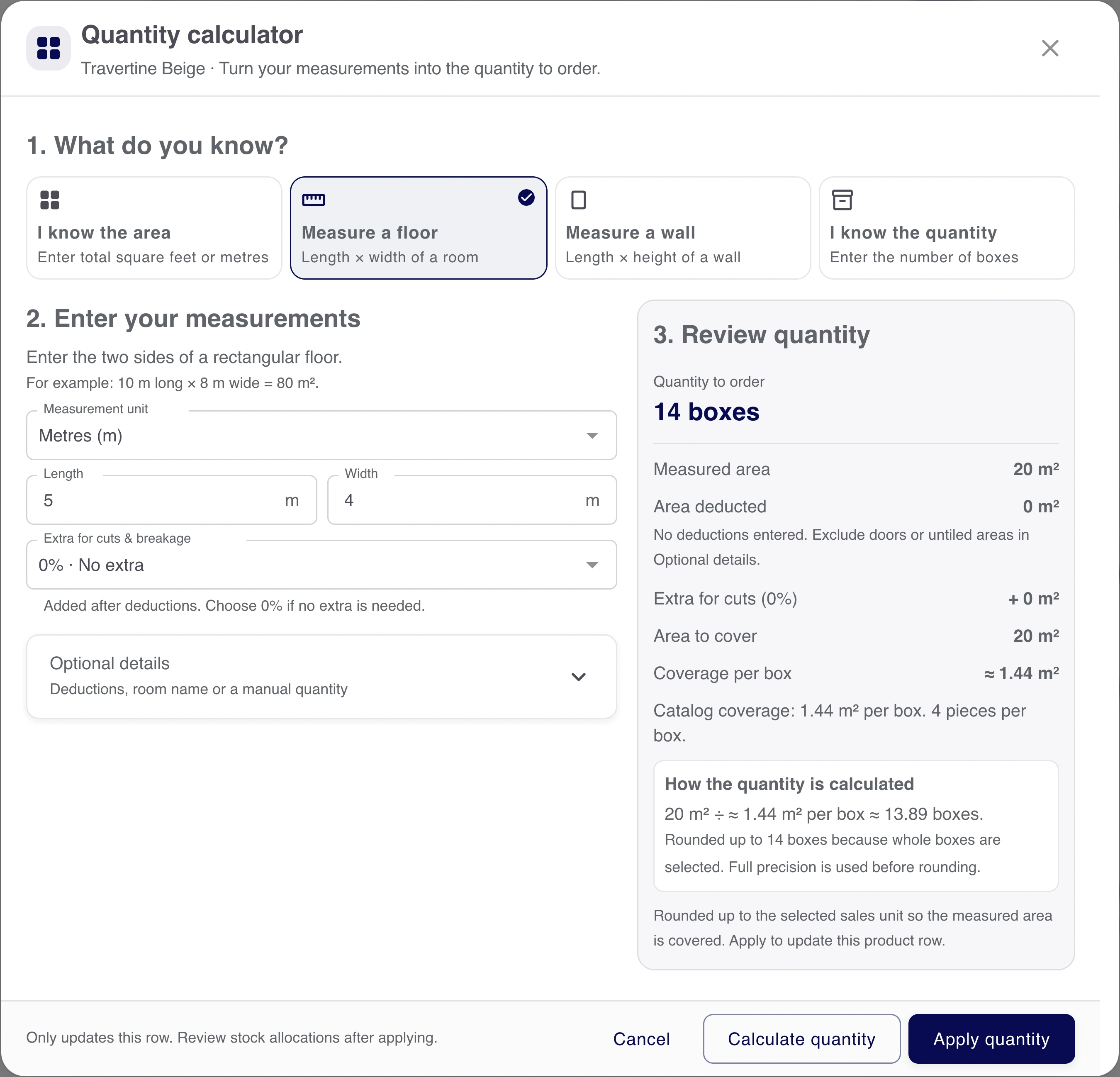
This recorded example has no deductions and no extra allowance. The required quantity rounds up to a whole box.
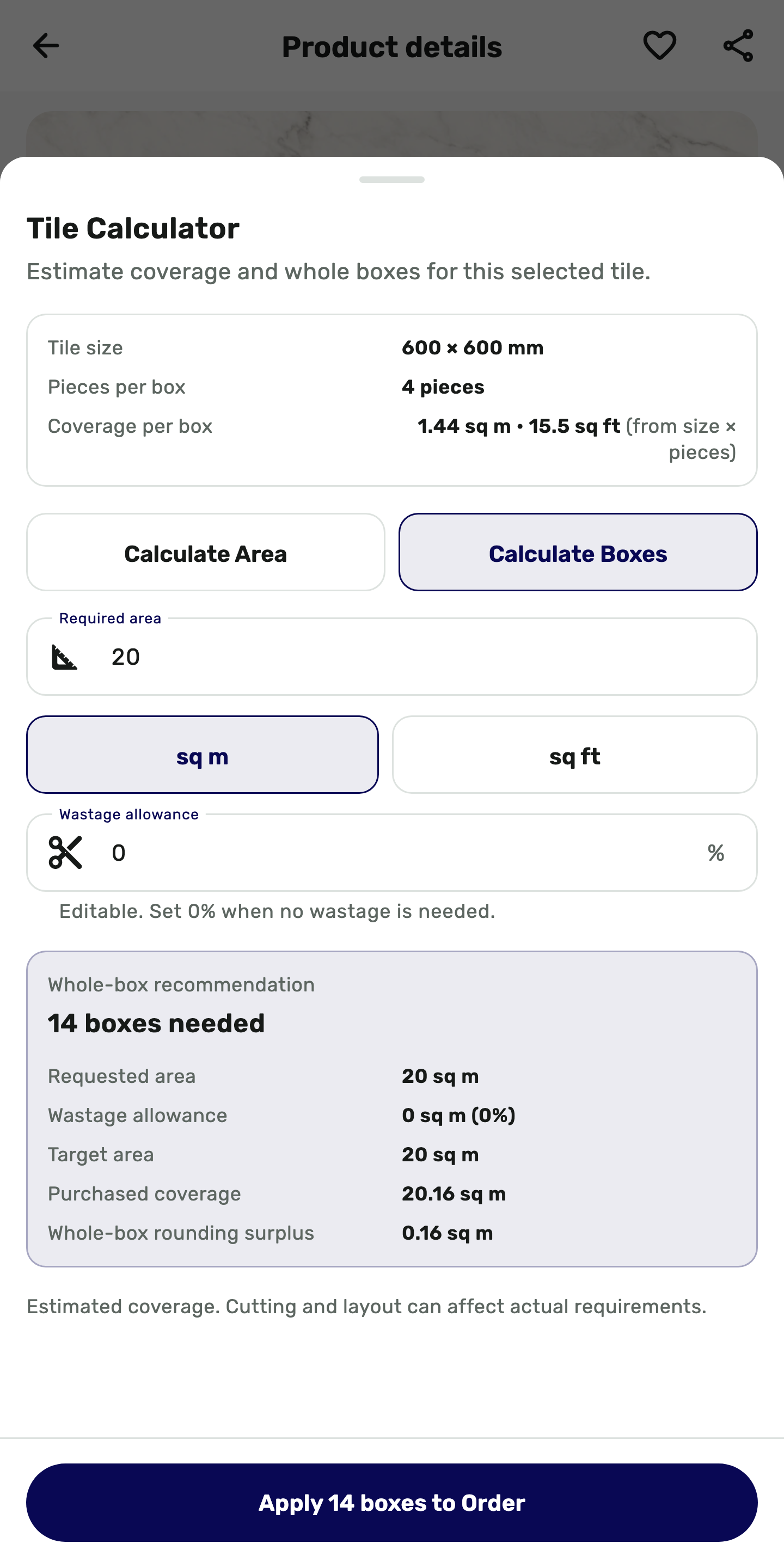
The result on the phone
Review the room measurement, selected allowance and product coverage before using the suggested quantity.
This Buyer App interface is rendered from the app’s Flutter code with demo data. It shows the quantity calculation, not a submitted order.
Convert measurement units, deduct excluded areas, add the chosen extra allowance and then apply the mode’s rounding. Loose-piece selling has separate product prerequisites.
| Mode | Before using it | What the result means |
|---|---|---|
| Area to whole boxes | Positive saved coverage per box and a supported coverage unit. | The required area is divided by coverage and rounded up to whole boxes. |
| Piece-tracked product | A current package definition, positive pieces per box and valid area coverage. | The calculation uses the saved pack relationship; a room measurement does not create that setup. |
| Loose pieces or boxes + pieces | Piece tracking plus loose-piece selling enabled for that product. | The allowed loose or mixed quantity. Otherwise choose Whole boxes. |
| I know the quantity | A known quantity in the product’s allowed boxes/pieces or native unit. | Direct entry, without an area or extra-allowance calculation. |
| Mode | Before using it | What the result means |
|---|---|---|
| Area to whole boxes | Positive saved coverage per box and a supported coverage unit. | The required area is divided by coverage and rounded up to whole boxes. |
| Piece-tracked product | A current package definition, positive pieces per box and valid area coverage. | The calculation uses the saved pack relationship; a room measurement does not create that setup. |
| Loose pieces or boxes + pieces | Piece tracking plus loose-piece selling enabled for that product. | The allowed loose or mixed quantity. Otherwise choose Whole boxes. |
| I know the quantity | A known quantity in the product’s allowed boxes/pieces or native unit. | Direct entry, without an area or extra-allowance calculation. |
Keep the measurements while correcting a prerequisite. When the quantity is already known, use the explicit direct-quantity mode in the product’s actual unit.
When a required detail is missing
Apply the result to the editable sales form, then check the product, unit, quantity and rate together before saving.
Want to see this with your business workflow?
Book a product demo