
Staff sales & commission
Connect the sale to the person who earned it.
Review sales credit, commission rules and the entries behind each person’s earnings. Keep recorded payouts separate from the calculation.
The person entering a sale may not be the person credited.
Assign sales credit to the eligible team member and keep the operator’s role separate. Review the saved sales record when responsibility needs checking.
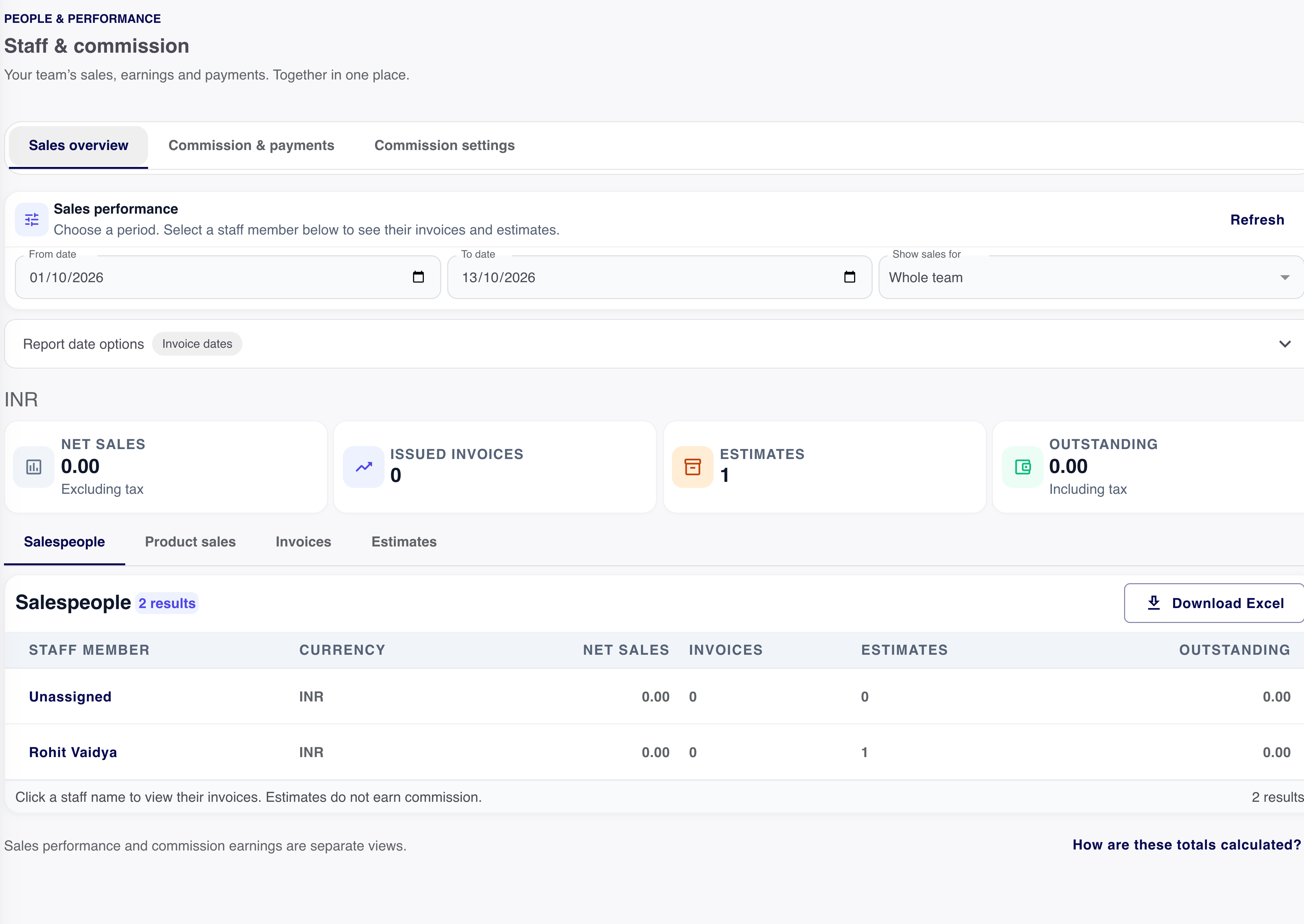
- Sales credit
- The eligible person attributed to the sale
- Operator
- The person creating or updating the record
- Access
- The scope the staff member is allowed to review
An earning should have a reason you can inspect.
Connect the credited sale to its applicable rule and eligible transactions. Read collection and return effects in the earning history.
Sales credit
Start with the person credited on the sale.
The person who enters a document can be different from the eligible salesperson who receives credit.
Check the source sale
Inspect the credited person and included transaction.
Read the earning basis
Review the applicable rule, collection effects and return adjustments.
Review the recorded payout
Keep money actually paid separate from the earning calculation.
Review changes in the same place.
Returns, corrections and eligibility can affect earnings. Check the entry and its source rather than comparing unexplained totals.
- Credited sales
- The documents attributed to the staff member.
- Commission rule
- The applicable method and conditions.
- Earning history
- The source of the amount and any adjustment.
Earnings and payouts are different records.
Record a commission payment that has actually occurred, then inspect the statement. Calculating an earning does not send money to the staff member.
Review the statement
Select the staff member and period.
Check what is payable
Read earnings, adjustments and previous payments.
Record the actual payout
Keep the payment reference with the statement.
Make a performance review specific.
Compare like periods, credited sales and included transactions. Keep role scope and the basis of each figure visible.
Want to see this with your business workflow?
Book a product demo