
Showroom selling
Help the customer choose. Keep the sale ready to continue.
Bring tile images, size, finish, quantity and customer details into the same showroom conversation. Prepare the quotation or sale that fits the visit.
Put the customer’s selection on the screen.
Search and compare the exact product, size and finish. Keep the image and selling details together while the customer decides.
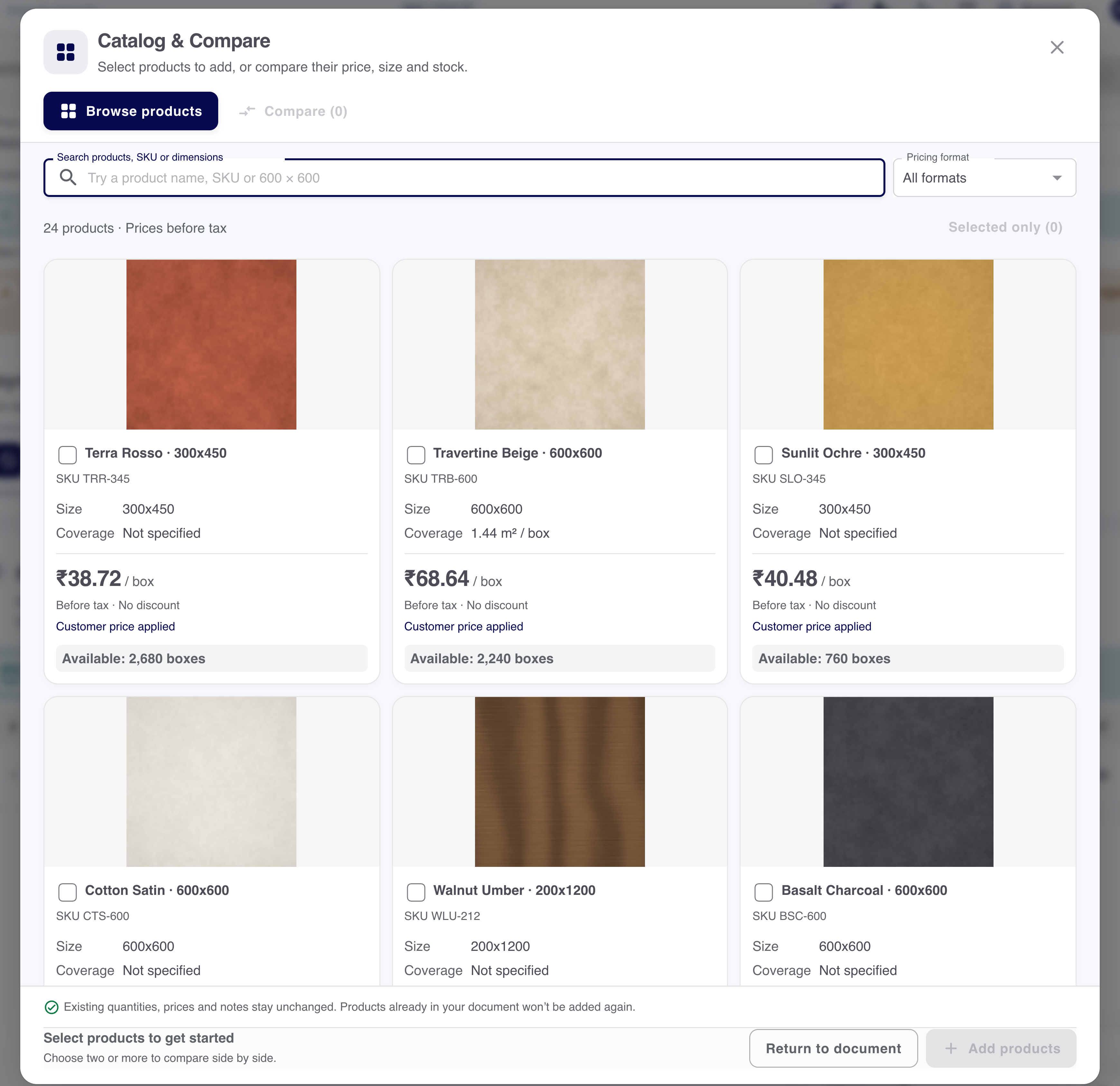
- Selected product
- Name, size and finish
- Pack details
- Unit and coverage
- Selling context
- Customer and agreed rate
Measure the room. Review the boxes.
Use valid pack information to work through the quantity. The calculator result remains something the salesperson reviews.
Recorded demo calculation
Read the inputs. Explain the result.
- Measured area
- 20 m²
- Coverage per box
- 1.44 m²
- Extra allowance
- 0% in this example
Educational diagram of the recorded example. Review the measurements and pack data for the actual job.
A proposal that can survive the next visit.
Save the quotation and return to the same reference. A changed room measurement can become a new version without losing the earlier discussion.
- Save the selection
- Keep the customer, selected products and reviewed quantities with the quotation.
- Reopen the proposal
- Return to the saved reference when the customer visits again.
- Review a change
- Use the supported revision workflow when the measurement or tile selection changes.
Keep the next conversation useful.
Record the next action against the customer and quotation. Identify the pending question, the person responsible and the details still needed.
Customer
Who is making the selection?
Proposal
Which saved version are you discussing?
Next action
What must the team confirm before continuing?
Choose the document for the visit.
Prepare the supported quotation or sale, then check the actual stock and payment consequences of that transaction.
Want to see this with your business workflow?
Book a product demo