
Skip to content
Sign in
All product features

Purchases & suppliers

Keep the purchase clear before the goods arrive.

Maintain your vendors, prepare purchase orders and review the bills that follow. Track the product, expected quantity and supplier money records with the right context.

Start with the vendor and the required products.

Keep the exact tile, quantity, expected date and supplier together in the purchase order. Review the bill separately when the purchase is recorded.
Purchases & suppliers
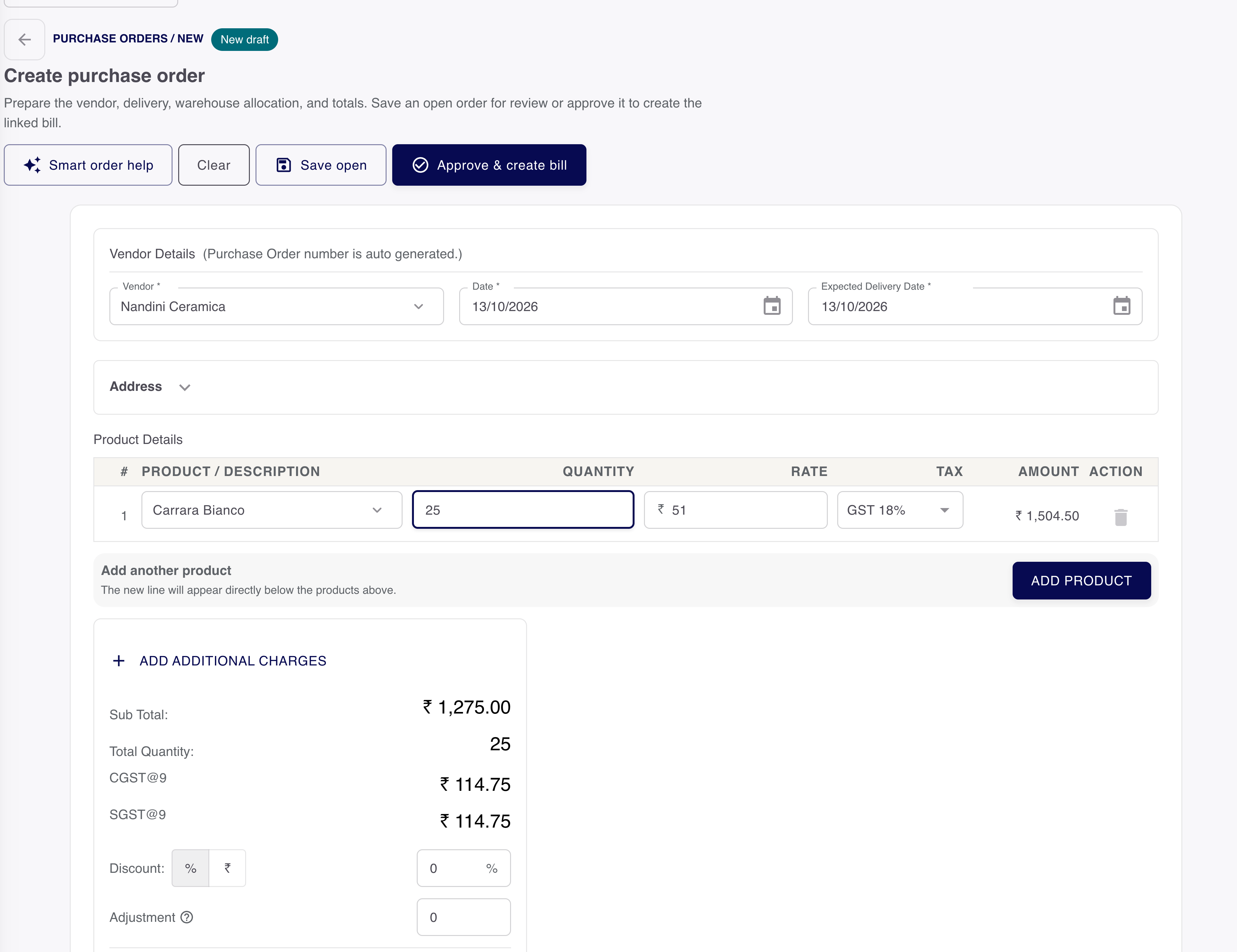
The purchase order editor shows a selected demo vendor, product line, order quantity, delivery dates and calculated totals.
Demo data. Unsaved purchase order example. Review vendor, products, expected delivery and totals before saving or approval.Open original
Purchases & suppliersOriginal product image · Demo data

Unsaved purchase order example. Review vendor, products, expected delivery and totals before saving or approval.Open original image

Who supplies it?
The selected vendor
What is required?
Product, variant and quantity
What follows?
The applicable bill and receiving work

Goods and supplier money need their own checks.

A purchase order records the requirement. Receiving goods, saving a bill and recording payment are separate responsibilities.

01

Purchase order

What do we need?

  • Supplier and exact tile variant
  • Requested quantity and unit
  • Expected date and purchase reference

Review the requirement before sending it.

02

Goods & supplier bill

What arrived and was billed?

  • Actual goods and quantities
  • Supplier bill and its reference
  • The relevant stock location

Check received and billed quantities separately.

03

Supplier payment

What has been paid?

  • Actual amount and payment date
  • The account used for the payment
  • Bill allocation and remaining balance

Record money only after it has been paid.

Know which side of the balance you are reading.

Customer dues describe money owed to your business. Supplier balances describe the purchase relationship. Keep both parties and their documents clear.

Vendor record
Supplier details and the relevant purchase history.
Supplier bill
The purchase amount and associated due information.
Payment made
Money actually paid and its bill allocation.

Reconcile a partial or corrected purchase.

Inspect what the existing record contains before repeating a step. Keep ordered, received and billed quantities understandable in the supported workflow.

  1. Open the source order

    Confirm the vendor and requested products.

  2. Review the actual result

    Check the receiving or bill record and any remaining quantity.

  3. Continue the supported action

    Avoid treating a partly completed purchase as a brand-new request.

Bring stock and purchasing into the same conversation.

Use the product identity and godown context when preparing supplier work, then review the relevant vendor report.

Want to see this with your business workflow?

Book a product demo