
Quotations & follow-ups
The customer changes the plan. You keep the history.
Reopen a saved quotation, review what changed and continue the conversation from a clear reference. Earlier versions remain available when a new revision is saved. These tools use the eligible Retail quotation workflow.
See the change, not just the latest total.
The saved example keeps the original proposal beside its revision. The selected tile remains identifiable while the quantity changes.
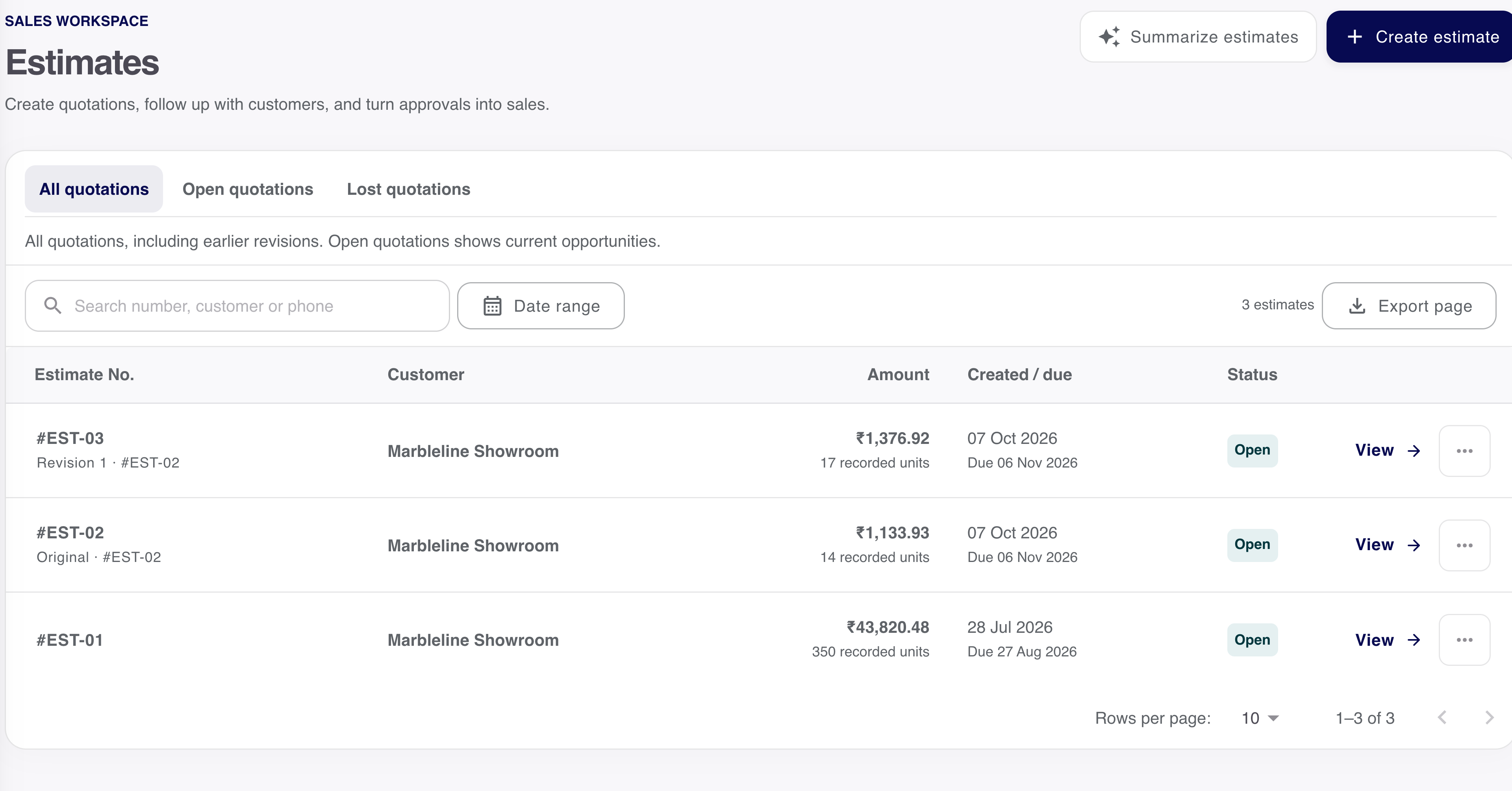
Saved demo record
The quantity changed. The original stays available.
- Product
- Travertine Beige
- Version
- EST-03 · revised
- Quantity
- 17 boxes
- Rate before GST
- ₹68.64 / box
Reopen the version you need.
Start with the current saved quotation. An earlier version remains available to read, while the current revision is used for the next activity.
Open the current proposal
Confirm the customer, tile and quantity being discussed.
Create a revision
Review the changed product lines and document details.
Save and inspect
Reopen the saved result and check its relationship to the original.
Give the next conversation a date and a person.
Keep notes, the follow-up date and the assigned team member with the quotation. Read the progress and saved history before the next call.
The next conversation
A clear task against the quotation.
- Note
- The customer question and saved context.
- Date & time
- When the follow-up should be reviewed.
- Assigned person
- The eligible team member responsible.
- Progress
- To do, Done or no task scheduled.
Keep the history
See how the conversation moved.
- Add a note
Keep the saved note with its author and time.
- Schedule or complete the follow-up
Review the next task and its current state.
- Mark lost or reopen
Keep the reason and outcome history. Closed quotations are read-only here.
This explains the eligible Retail follow-up tools. It does not send a message to the customer.
Choose the customer before invoicing or delivery.
An anonymous walk-in quotation can begin the conversation. The draft or a new revision needs a named customer before invoicing or delivery can continue.
- Current revision
- Use the latest quotation for new activity. Reopen a lost outcome before continuing.
- Named customer
- Confirm the customer on the draft or new revision before the next sales document.
- Deliberate save
- Review the editable document. Payment and stock effects remain separate checks.
Share the version you mean to discuss.
Inspect the saved reference and actual output before sharing. Review the recipient and complete the send in the chosen channel; opening a share action does not confirm delivery.
Want to see this with your business workflow?
Book a product demo